
The Problem Every AI Video Creator Hits
You generate Shot 1. The face is right. The jacket is right. The lighting is right.
Shot 2 arrives and the eyes have changed, the jacket is different, and the character looks five years older.
By Shot 3 you’re no longer sure it’s the same person.
This is still the biggest practical failure in AI video in 2026. Most creators waste hours and credits chasing consistency that the model was never designed to maintain by default.
Common failures across a sequence:
- Face drift (eyes, jawline, skin tone shift)
- Clothing morph (jacket becomes hoodie becomes coat)
- Body proportion changes
- Background and lighting inconsistency
- Age instability
The output looks like five different films cut together.
Why Consistency Breaks
AI video models still treat most shots as independent generations. There is no reliable shared memory between Shot 1 and Shot 5 unless you force it.
The main causes:
- Independent generation per shot
- Weak or vague character descriptions
- Big lens and camera changes that amplify drift
- No locked reference across the sequence
- Competing details in the prompt that dilute identity
This is not a prompting skill issue. Single-shot generation was never built for multi-shot continuity.
The Three Levels of Continuity Control
Level 1 — Prompt-Only (Fragile)
Repeat a detailed character description in every shot and add phrases like “same character as previous shot, consistent clothing, stable face.”
Works for 2–3 simple shots. Fails quickly on longer sequences or strong camera moves. No real enforcement mechanism.
Level 2 — Reference Image / Element Locking
Upload character references and bind them in the prompt (@Element1, @character_name, etc.).
Better than pure text, but results vary heavily by platform and you often have to re-establish the reference when switching models.
Level 3 — Structured Sequence + Hero Lock (Recommended)
Define the character once with clear visual anchors. Lock identity, wardrobe, lighting, and environment. Then build every shot on top of that locked base.
This is the method that actually scales to 4–6+ shots and works across models. It treats the sequence as a sequence instead of disconnected generations.
| Method | Best For | Main Limitation |
|---|---|---|
| Level 1: Prompt-Only | 2–3 simple shots | Drift on longer sequences |
| Level 2: Reference Locking | Single-platform work | Inconsistent across engines |
| Level 3: Structured + Hero Lock | 3+ shots, multi-platform | Requires deliberate structure |
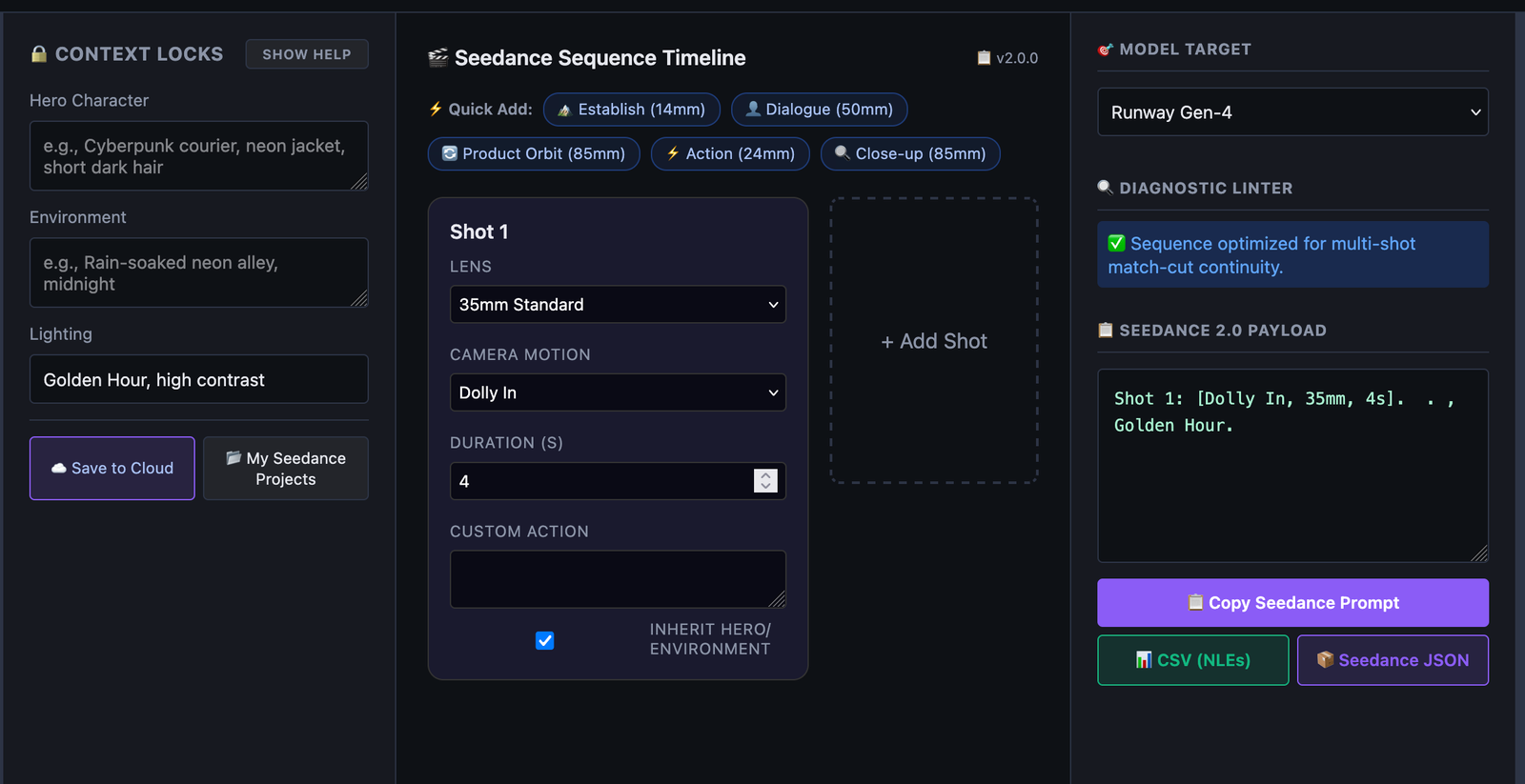
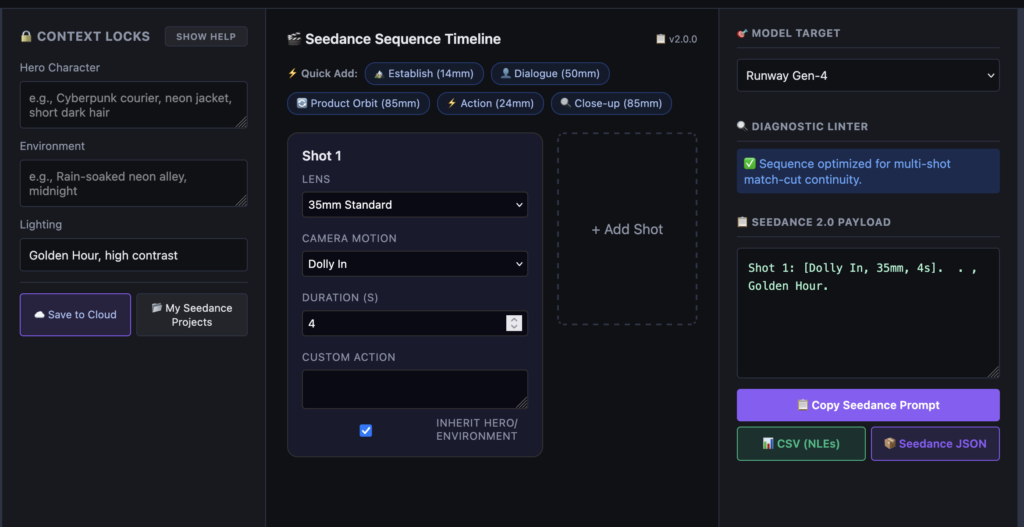
This is exactly what the Multi-Shot Sequence Builder was built for.
It lets you define the character once (Contextual Hero Lock), build a visual shot timeline, and export a clean structured prompt for Seedance, Runway, Kling, Sora, or Veo — without rewriting the character description every time.
Build Locked Sequences in Minutes
Define your character once with Contextual Hero Lock, chain up to 6 camera moves, and export clean multi-shot prompts for Seedance, Runway, Kling, Sora & Veo.
Open Sequence Builder →How to Build a Locked Multi-Shot Sequence
Step 1: Define the Hero Once
Write one unambiguous character sheet:
- Face (age, skin, eyes, distinguishing features)
- Hair (color, length, style)
- Clothing (exact garments, colors, materials)
- Body (height, build, posture)
- Signature details (scars, jewelry, accessories)
This description is used once and inherited by every shot.
Step 2: Set the Continuity Lock
Lock the shared rules:
- Environment and time of day
- Lighting direction and color temperature
- Overall style / color science
These become constraints, not suggestions.
Step 3: Plan the Shot List
Example 4-shot sequence:
| Shot | Framing | Lens | Camera Move | Duration |
|---|---|---|---|---|
| 1 | Establishing Wide | 14mm | Tracking Arc | 4s |
| 2 | Medium | 50mm | Dolly In | 3s |
| 3 | Close-Up | 85mm | Slow Push | 3s |
| 4 | Reaction | 50mm | Static | 2s |
The character and environment stay fixed. Only camera and framing change.
Step 4: Add Action Without Breaking the Lock
You can add movement, dialogue, or performance. Just do not introduce new identity details that contradict the locked character sheet.
Step 5: Export as a Structured Sequence
Compile the locked character + environment + individual shots into one coherent multi-shot prompt. The model now receives a sequence instead of isolated fragments.
You can do this manually, or use the Multi-Shot Sequence Builder to handle the Hero Lock, timeline, and export automatically.
Before vs After
Before (typical Level 1 approach):
text
Shot 1: A detective in a trench coat stands in a rainy alleyway. Shot 2: The same detective leans against a wall, close-up. Shot 3: He turns and walks away, wide shot.Result: Three different men, shifting coat color, inconsistent alley and lighting.
After (Hero Lock + structured sequence):
text
HERO LOCK:
Character: Male, 45, weathered face, grey stubble, deep-set brown eyes, 6'1", lean build, charcoal wool trench coat over white shirt, dark grey trousers, black leather shoes. Environment: Rain-soaked alley at night, neon reflections on wet cobblestones, cool blue and magenta light. Style: Cinematic, shallow depth of field, anamorphic characteristics.  Shot 1: Establishing wide, 14mm, tracking arc. Shot 2: Medium, 50mm, dolly in. Shot 3: Close-up, 85mm, slow push. Shot 4: Reaction, 50mm, static
Result: Same detective, same coat, same alley, matching light across all four shots.
Mistakes That Still Cause Drift
- Jumping focal lengths aggressively without re-anchoring
- Adding new clothing or accessories in later shots
- Changing lighting mid-sequence
- Rewriting the character description between shots
- Relying only on the phrase “same character”
- Overloading later shots with new aesthetic adjectives
Quick Continuity Checklist
- Character fully described once with clear visual anchors
- Environment, lighting, and style locked
- Camera moves and lenses planned
- No contradictory new details added in later shots
- Sequence exported as structured multi-shot prompt
Build Locked Sequences in Minutes
Manual Hero Lock works. A structured tool makes it faster and less error-prone.
The Multi-Shot Sequence Builder gives you:
- Contextual Hero Lock — define the character once, every shot inherits it
- Visual 6-shot timeline with lens and camera moves
- Real-time diagnostic linter that catches continuity errors
- Clean export for Seedance 2.0, Runway Gen-4, Kling 3, Sora 2, and Veo 3.1
Build your first locked sequence →
Consistency is no longer luck. It is a system: define once, lock it, then shoot.